2026-02-09
Your Guide to Audio to Text Transcription Services
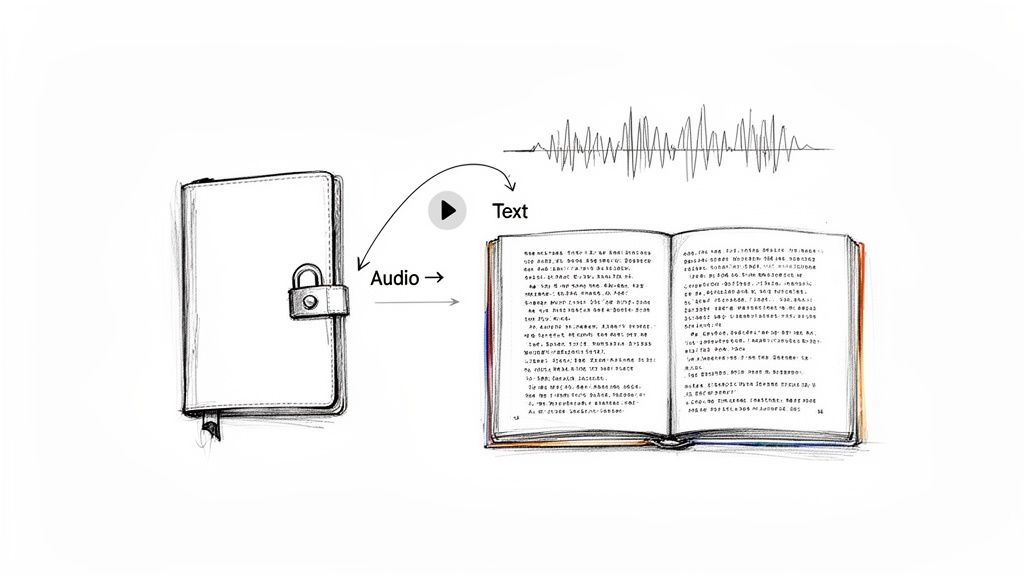
Picture this: all your audio and video files are like locked diaries, packed with fantastic ideas, memorable quotes, and critical insights. Audio to text transcription services are the key. They unlock those files by turning spoken words into written text, making everything inside instantly searchable, easy to edit, and much more useful.
Unlocking Your Audio and Video Content
Think of a transcription service as a special kind of translator. Instead of turning Spanish into English, it translates sound into text. It takes everything said in your podcasts, video clips, team meetings, or lectures and lays it all out in a clean, readable document.
It wasn’t always this easy. Not long ago, transcription was a brutally manual job. Someone had to sit with headphones on, typing out every single word, constantly pausing and rewinding. Getting a transcript for just one hour of audio was slow, expensive, and could take days. Thankfully, things have changed completely.
The Shift from Manual to AI-Powered Transcription
Today's transcription services have swapped out that slow manual process for powerful artificial intelligence. Modern AI platforms can listen to an audio file and spit out a surprisingly accurate text version in minutes, not days. This leap in speed and efficiency has put transcription within reach for everyone, not just big media outlets.
So, what does that actually mean for you?
- Speed: You can get a full transcript for an hour-long podcast or meeting in less than ten minutes.
- Cost-Effectiveness: AI has driven the price down so much that it's now a genuinely affordable tool for creators, students, and businesses of any size.
- Scalability: Need to transcribe hundreds of hours of audio? No problem. You don't need to hire a whole team of people to get it done.
This is exactly why transcription has become a go-to tool for anyone who creates or works with audio and video. It’s the essential first step in taking your raw recordings and turning them into things you can actually use—like blog posts, social media clips, and searchable archives.
By converting spoken content into text, you're not just creating a script; you're creating a new asset. A single audio file can become the foundation for articles, social media updates, and detailed analytical reports, maximizing the return on your original recording effort.
For instance, a podcaster doesn't just have a 45-minute audio file anymore. With a transcript, they also have an SEO-friendly article for their website, a dozen great quotes to share on social media, and a searchable document to quickly find things they've talked about before. Or a business team can turn a two-hour brainstorming session into a tight summary with clear action items, making sure no great ideas get forgotten.
Ultimately, audio-to-text services close the gap between spoken ideas and useful, actionable information. They give you the raw material you need to analyze your content, repurpose it, and get your message out to more people, more effectively than ever before. It's the starting point for a smarter, more efficient content workflow.
What Separates a Good Transcription Service from a Great One?
At first glance, most audio-to-text transcription services seem to do the same thing. But when you get into the weeds, the difference between a decent tool and a great one is all in the details. It’s these core features that decide whether you’re actually saving time or just creating more busywork for yourself.
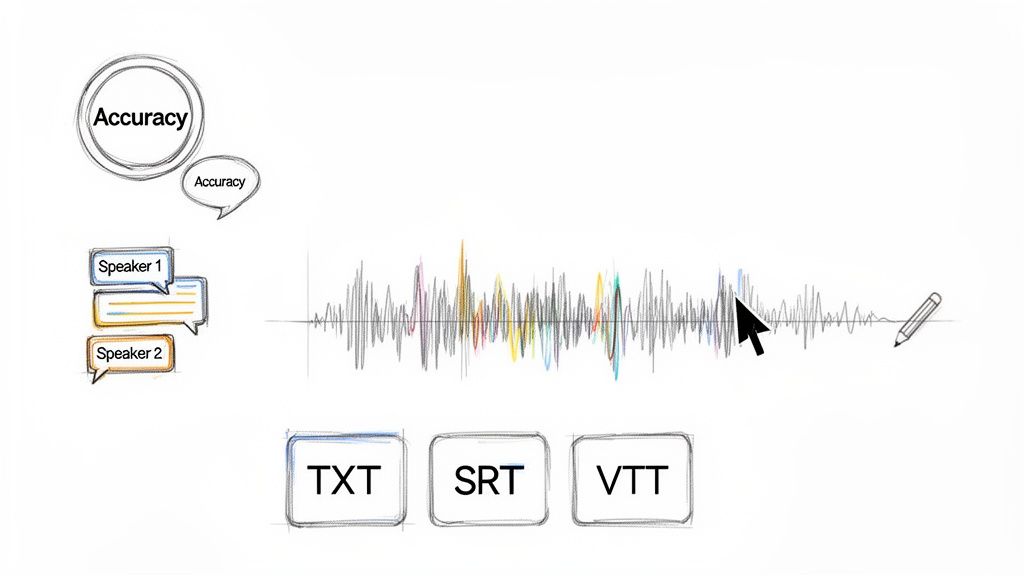
Think of it like buying a car. Any car can get you from point A to B. But it's the features—the smooth navigation, the adaptive cruise control, the backup camera—that make the drive effortless and enjoyable. The same goes for transcription; the right features turn a basic conversion tool into a powerhouse that speeds up your entire workflow.
Let's dive into the make-or-break features you should be looking for.
H3: The Non-Negotiable: High Accuracy Rates
Accuracy is everything. If your transcript is full of mistakes, you'll waste more time fixing it than if you’d just typed it out yourself. While no AI is perfect, the best services consistently hit 95-99% accuracy when dealing with clear audio.
That high level of precision gives you a solid foundation to work from, meaning you’ll only need to make minor edits instead of a major overhaul. Keep in mind that audio quality is a huge factor here—a clear speaker with minimal background noise will always get better results. If a service can't handle clean audio well, it's a definite red flag.
A transcript with 90% accuracy might sound pretty good, but it means 100 out of every 1,000 words are wrong. Bump that up to 98% accuracy, and you're down to just 20 errors. That's a massive difference in editing time.
H3: Who Said What? Speaker Labeling for Clarity
Ever tried to read a transcript from a meeting with five different people? It’s just a giant, confusing wall of text. This is where automatic speaker labeling, sometimes called diarization, comes in to save the day.
This feature figures out who is speaking and when, automatically tagging the text with labels like "Speaker 1" and "Speaker 2." It instantly brings order to the chaos, making it easy to follow the conversation in interviews, podcasts, or team meetings. For any content with more than one voice, this isn't just a nice-to-have feature; it's essential.
H3: The Game-Changer: A Synchronized Text Editor
Even the best AI stumbles on unique names, industry jargon, or a mumbled sentence. An interactive editor that syncs the audio and text is an absolute game-changer for fixing these little slip-ups. A top-tier audio to text transcription service links every single word in the transcript to its exact spot in the audio file.
This seamless connection lets you:
- Click on any word in the text, and the audio will jump right to that moment.
- Listen and edit at the same time without fumbling between different windows.
- Slow down the playback speed to catch those hard-to-hear phrases.
This tight integration makes proofreading incredibly fast and intuitive. It transforms a potentially tedious task into a quick, click-and-correct process, helping you get to a perfect final transcript in record time.
H3: Beyond English: Robust Language Support
Your audience is global, and your transcription tool should be, too. A truly useful service needs to handle a wide variety of languages and accents, not just standard English.
Some platforms even take it a step further with built-in translation. Imagine transcribing a video in its native language and then, with just a click, translating that text into dozens of others. This is a massive advantage for creators looking to reach an international audience. For a look at what comprehensive language support entails, you can see the list of on platforms like Kopia.ai.
H3: One Size Doesn't Fit All: Flexible Export Options
Finally, what you plan to do with your transcript determines the file format you need. A great service understands this and gives you plenty of options, because a simple text file doesn't always cut it.
Here’s a look at some of the most common formats:
- .TXT (Plain Text): The workhorse. Ideal for pasting into documents, blog posts, or emails.
- .SRT (SubRip Subtitle): The go-to format for video captions on platforms like YouTube and Vimeo, containing both text and timestamps.
- .VTT (Video Text Tracks): A more modern captioning format for web videos that offers extra formatting capabilities.
Having these choices built right in means you can download a file that’s ready to go, no extra conversion steps needed.
To wrap it all up, here’s a quick-glance table summarizing the key features we've covered and why they are so important.
Key Features of Modern Transcription Services
| Feature | What It Does | Why It Matters |
|---|---|---|
| High Accuracy | Converts speech to text with 95-99% precision on clear audio. | Minimizes editing time and ensures the transcript is a reliable source of information from the start. |
| Speaker Labeling | Automatically identifies and labels different speakers in the audio. | Makes multi-speaker conversations (meetings, interviews) easy to read and understand. |
| Synchronized Editor | Links the text transcript directly to the audio playback, word for word. | Makes proofreading incredibly fast and intuitive; just click a word to hear it. |
| Language Support | Transcribes and often translates dozens of different languages and accents. | Allows you to create content for a global audience without language barriers. |
| Multiple Export Formats | Lets you download the transcript as TXT, SRT, VTT, and other file types. | Ensures you have the right format for any use case, from blog posts to video captions. |
When you're shopping around, don't just look for a tool that turns audio into text. Look for one that comes equipped with these features to truly make your life easier.
Who Actually Uses Transcription and Why?
The real magic of turning audio into text isn’t the tech itself—it’s seeing how people use it to solve real, everyday problems. It’s a tool that truly comes alive in the hands of creators, students, and professionals who need to make spoken words more useful and easier to access.
Let’s step into the shoes of a few of these users to see how transcription helps them work smarter, not harder.
For the Content Creator and Podcaster
Imagine you’re a podcaster who just wrapped up a fantastic, hour-long interview. Before transcription, that’s one single asset: an audio file. With a transcript, however, that one file suddenly becomes the backbone of an entire content strategy.
That single recording can be spun into a dozen different pieces of content, squeezing every last drop of value out of it.
- SEO-Rich Show Notes: The full transcript can be posted right on your website. This gives search engines like Google thousands of relevant keywords to crawl, helping brand-new listeners find your show.
- Engaging Social Media Clips: You can quickly scan the text to find the most powerful quotes or "aha" moments. These are perfect for creating eye-catching graphics for Instagram, short video clips for TikTok, or thought-provoking posts for LinkedIn.
- Newsletter Content: Pull out the key takeaways from the conversation to create a valuable newsletter for your subscribers, keeping them hooked between episodes.
For podcasters, transcription is more than just an accessibility feature; it’s a content multiplication engine. You can dive deeper into these strategies in our complete guide on .
For the Diligent Student and Researcher
Now, picture a university student trying to keep up with hours of dense lectures every week. Frantically scribbling notes is a losing battle, and memory is far from perfect. This is where transcription completely changes the game.
By recording lectures and running them through a service, students can transform hours of audio into perfectly organized, searchable study guides. Forget re-listening to a two-hour lecture to find one specific concept—now they can just hit Ctrl+F and jump right to it.
Transcription turns passive listening into active learning. It creates a permanent, searchable record of knowledge that can be reviewed, annotated, and referenced anytime, making studying more efficient and effective.
Researchers conducting interviews also see huge benefits. Transcribing interviews lets them analyze qualitative data with incredible precision. They can easily code themes, spot patterns, and pull direct quotes to back up their findings.
For the Insight-Driven Business Team
Think about the countless hours spent in meetings where critical decisions are made and brilliant ideas are shared. As soon as the meeting ends, too many of those valuable insights simply evaporate.
This is where transcription becomes a killer business tool. By recording and transcribing meetings, teams create a searchable, permanent record of every discussion.
This simple practice solves several huge problems:
- Never Miss an Action Item: A transcript ensures every task, deadline, and who-does-what is captured accurately.
- Onboard New Team Members Faster: New hires can read through transcripts of past strategic meetings to get up to speed on key projects in a fraction of the time.
- Analyze Customer Feedback: Marketing teams can transcribe customer interviews to uncover priceless feedback, identify market trends, and hear customer pain points in their own words.
The impact here is so big that meeting transcription is now a massive industry. The AI meeting transcription segment is the fastest-growing part of the field, projected to surge from $3.86 billion in 2025 to an incredible $29.45 billion by 2034. That explosive 25.62% compound annual growth rate shows just how much modern businesses are relying on this, especially with remote work being the new normal. To see what's behind this trend, you can .
For the Accessible Video Creator
Finally, think about a YouTuber or any video creator. Their goal is to reach the widest audience possible, but without captions, they’re accidentally shutting out millions of people.
Transcription is the first and most important step to making video truly accessible.
- Accurate Captions and Subtitles: A transcript is easily converted into an SRT or VTT file—the standard formats for video captions. This is a lifeline for viewers who are deaf or hard of hearing, not to mention the 85% of social media users who watch videos with the sound off.
- Improved SEO: Search engines can't "watch" a video, but they can definitely read a transcript. Including one in your video description can give your visibility a serious boost in search results.
- Global Reach: Once you have a transcript, it’s a simple step to get it translated into other languages, opening your content up to the entire world.
From the podcaster multiplying their content to the student creating the perfect study guide, the uses for audio-to-text transcription are as diverse as they are powerful. It’s a simple tool that solves complex problems, all by unlocking the incredible value hidden inside the spoken word.
How to Choose the Right Transcription Service
With so many audio-to-text transcription services out there, it’s easy to feel a little lost. They all seem to promise the moon, but how do you know which one will actually deliver for you? The trick is to tune out the marketing noise and focus on what really matters for your specific needs.
Choosing a service isn't about finding some mythical "best" platform; it's about finding the best fit for your work. A podcaster turning interviews into blog posts has completely different priorities than a grad student transcribing research interviews. So, before you start comparing a dozen different tabs, pause and ask yourself: what am I really trying to accomplish?
This simple flowchart can help you zero in on what's most important.
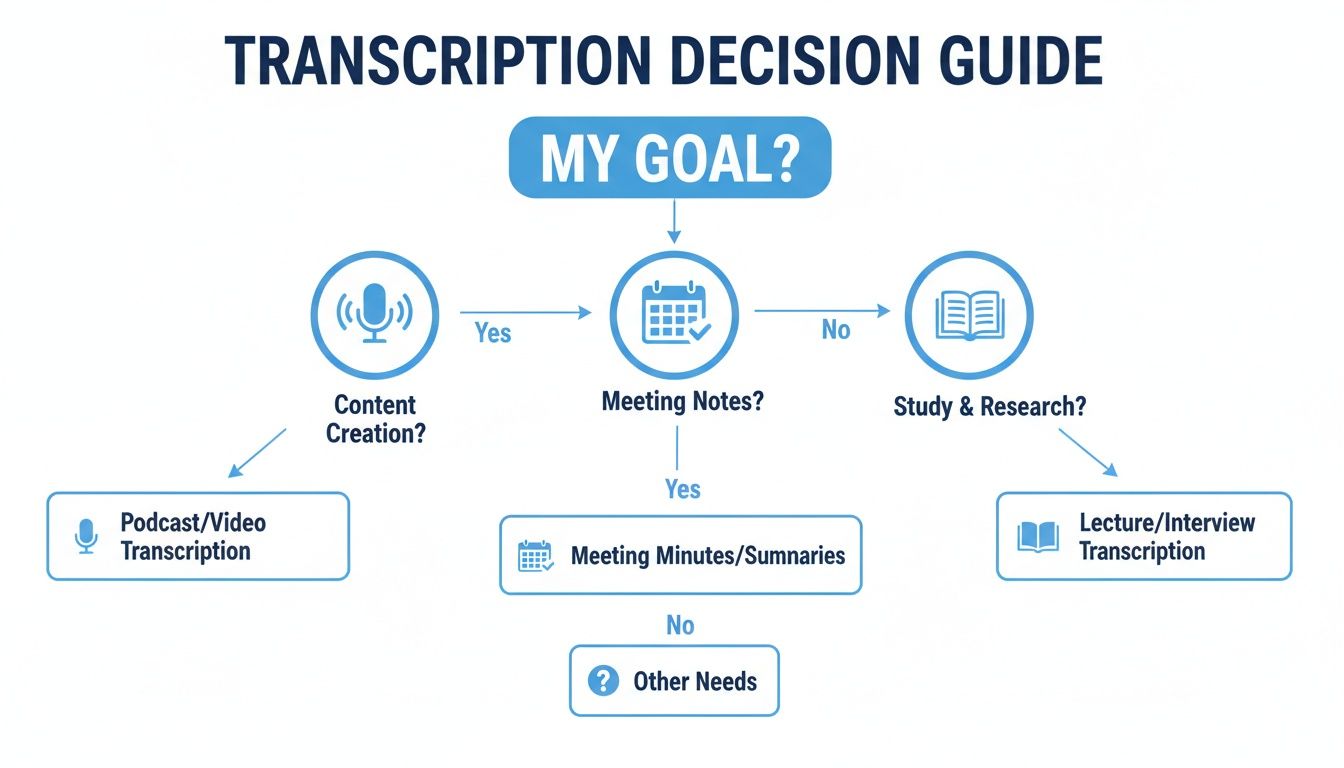
As you can see, your end goal—whether it's creating content, taking notes, or studying—should be the starting point for deciding what features you prioritize.
Assess Accuracy with a Real-World Test
Accuracy is everything. A transcript full of errors is more work than it's worth. While plenty of services boast 95% accuracy or more, that number can be a bit of a mirage. Real-world performance can swing wildly based on background noise, strong accents, multiple speakers, or industry-specific jargon.
The only way to know for sure is to take them for a spin. Don't just trust the claims on their homepage.
Nearly every service worth its salt offers a free trial. Use it! Upload a short audio clip that’s a good example of what you'll be working with.
- Does it have a few different people talking over each other?
- Is there a bit of background hum or chatter?
- Are there industry terms, company names, or unique acronyms?
This simple test gives you a real feel for how much cleanup you’ll be doing later. A service that nails your tricky audio is way more valuable than one with a higher advertised accuracy rate that chokes on your specific content.
Understand the Pricing Models
Transcription costs usually come in two flavors, and picking the wrong one can be a real budget-buster. Getting this right from the start saves a lot of headaches.
1. Pay-As-You-Go: This is exactly what it sounds like—you pay by the minute or hour for what you upload. It's the perfect model if your transcription needs are sporadic. If you only need to transcribe an interview once or twice a month, this is almost always the cheapest route.
2. Subscription Plans: You pay a flat fee each month or year for a block of transcription time. This model is built for heavy users like podcasters, marketers, or teams that are constantly transcribing. Subscriptions almost always offer a better per-minute rate and often come with extra features.
A classic mistake is signing up for a big subscription to get a low per-minute rate, only to use a tiny fraction of your monthly hours. Be realistic about your usage. It's better to start with a pay-as-you-go plan and upgrade later if you need to.
Scrutinize Security and Privacy Policies
Think about what's in your audio files. It could be anything from sensitive company strategy sessions to deeply personal interviews. Before you upload a single byte, you need to know how that service handles your data. This is non-negotiable.
Go find their privacy policy. If it’s buried or written in confusing legalese, that’s a warning sign. Here’s what to look for:
- Is my data encrypted? It should be encrypted both when you upload it ("in transit") and when it's stored on their servers ("at rest").
- Who owns the data? The answer should always be you. Period.
- Do they use my data for AI training? Some platforms use customer data to improve their own AI. Look for a clear option to opt out of this.
- Can I delete my files for good? You should have the power to permanently remove your audio and transcripts from their system whenever you want.
A trustworthy service will be completely upfront about its security practices. If you have to dig for this information, it’s a big red flag. By carefully checking these three pillars—accuracy, pricing, and security—you’ll be in a great position to pick a service that truly works for you.
Your First Transcription Workflow From Start to Finish
All this theory is great, but let's see how it works in the real world. Sometimes the best way to understand a new tool is to just walk through the process, step-by-step. Let's do that now and you'll see just how simple and powerful modern audio to text transcription services truly are.
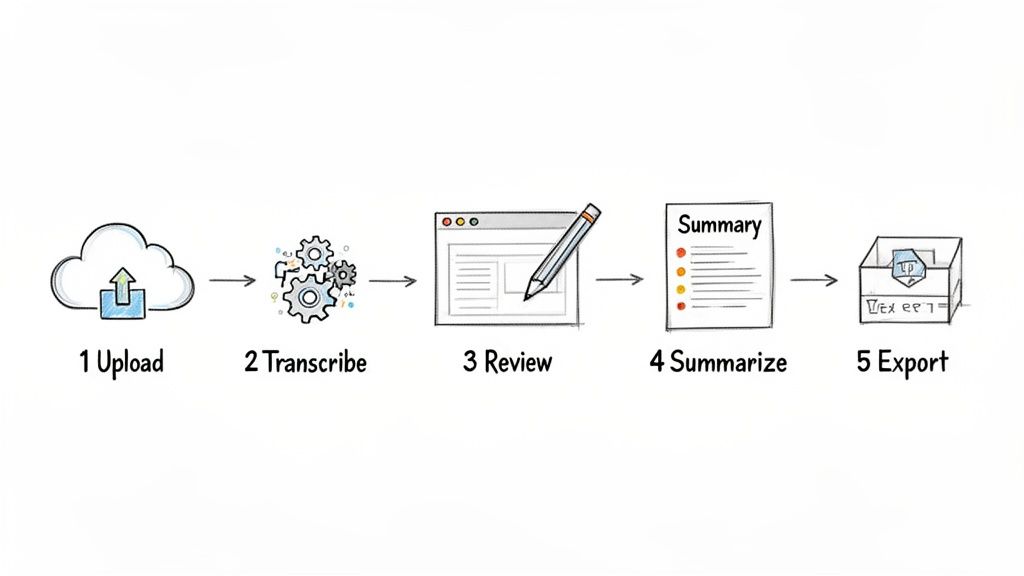
This level of simplicity is a big deal, and it's fueling a massive change in how companies handle their audio and video content. The global AI transcription market is exploding—it’s expected to jump from $4.5 billion in 2024 to an incredible $19.2 billion by 2034. That's more than a four-fold increase, driven by everything from remote work and the podcast boom to the sheer need for better documentation.
Step 1: Upload Your File
It all starts with getting your audio or video file into the system. Forget complicated uploads; these days, it's usually just a simple drag-and-drop. Most platforms are built to handle all the common formats you'd expect, like MP3, WAV, or MP4. Just grab your file, drop it in, and the upload begins immediately.
Step 2: Let the AI Get to Work
Once your file is uploaded, the magic happens. The AI engine kicks in and does the heavy lifting for you. You don’t have to mess with any confusing settings. The system’s algorithms listen to the audio, figure out who is talking, and turn all that speech into a text document. For a typical hour-long file, this whole process often wraps up in just a few minutes.
What's happening behind the scenes is pretty sophisticated. The AI isn't just mindlessly converting sounds to words. It’s also adding punctuation, breaking the text into paragraphs, and tagging different speakers to give you a surprisingly clean first draft.
Step 3: Review and Refine the Transcript
As good as AI is, it's not perfect. So, the next step is a quick human review. This is where a top-notch, synchronized editor makes all the difference. The best tools link every single word in the text directly to its specific moment in the audio.
If you find a word that seems off—maybe an unusual name or a technical term—you just click on it. The audio for that exact spot plays instantly, and you can type in the correction. It turns what used to be a tedious editing job into a quick, almost satisfying cleanup. You can try out a powerful to see exactly how this feels.
Step 4: Use AI for Summaries and Insights
Now that your transcript is accurate, you can do so much more than just read it. Many services now come with extra AI features that help you make sense of the content. With just another click, you can:
- Generate an automatic summary to get the core ideas in seconds.
- Pinpoint the major topics and themes that came up in the conversation.
- Create logical chapters with timestamps, making it easy to jump around in long recordings.
Step 5: Export in Your Desired Format
Finally, with your transcript polished and your summary ready, it's time to put it to work. A good platform will give you plenty of export options. You can download a simple .TXT file to use in a blog post, an .SRT file for video captions, or whatever other format fits your project.
This whole five-step process shows that transcription is no longer some technical, time-sucking chore. It’s an accessible tool that anyone can easily fit into their daily work.
Unlocking Value Beyond Simple Text Conversion
The real magic of modern transcription isn't just turning audio into a block of text. That's just the starting line. The exciting part is what comes next—turning that text into a genuine source of intelligence.
This is where the best audio to text transcription services are headed. They’re moving beyond being a simple utility and are quickly becoming analytical partners that help you understand your content on a much deeper level.
From Static Text to Interactive Knowledge
Think about a traditional transcript. It’s like a flat map of your conversation. You can read it, but you can’t really do anything with it. Modern platforms, on the other hand, are turning that flat map into a dynamic, 3D model you can actually explore.
Imagine this: instead of manually scrubbing through a two-hour meeting recording to find a key decision, you could just ask the transcript, "What did we decide about the Q4 budget?" and get the exact answer instantly. This simple shift turns a passive record into an active, searchable database of your own knowledge.
The future of transcription isn't about creating documents; it's about creating understanding. AI is turning lengthy recordings into concise summaries, logical chapters, and identifiable themes, all without you lifting a finger.
AI-Powered Content Analysis
This entire evolution is driven by new AI features that do the heavy lifting for you. These tools automatically sift through your text to deliver insights that would have once taken hours of manual work to find.
Here are a few of the key analytical features you'll see:
- Automatic Summarization: Instantly get a high-level summary of an entire recording. It's perfect for quick meeting recaps or creating podcast descriptions.
- Thematic Detection: The AI can pinpoint the main topics and recurring themes, giving you a bird's-eye view of what was most important in the conversation.
- Chapter Creation: For long-form content like webinars or lectures, the AI can break it down into logical chapters with titles and timestamps, making it incredibly easy to navigate.
A Foundation for a Smarter Content Strategy
When you look at it this way, transcription becomes something much bigger. It's no longer just an administrative task to check off your list. It's the foundational layer for a smarter, more efficient content strategy.
Every single audio or video file you have becomes a rich asset ready to be analyzed, repurposed, and put to work. A single customer interview can reveal critical pain points. A brainstorming session can be mined for your next big idea. A podcast episode can be broken down into a dozen social media posts. This deeper analysis makes sure no valuable insight gets lost in a recording, helping you squeeze every drop of value out of the spoken word.
Common Questions About Transcription
When you start digging into audio-to-text services, a few questions pop up almost immediately. Getting these sorted out from the get-go saves a ton of headaches later and helps you pick a tool that actually works for you.
The big one is always accuracy. You'll see services advertise 95-99% accuracy, but it's important to know that's usually a best-case scenario. Think crystal-clear audio, a single speaker, and a silent room.
Real-world audio is messy. Things like thick accents, people talking over each other, or even just a noisy café in the background can knock that accuracy down. The only way to know for sure is to test a service with your own files during a free trial.
How Do Services Handle Poor Audio Quality?
So, what happens when your recording isn't perfect? The service will still give it a shot, but you can expect the accuracy to take a nosedive. The AI struggles to separate spoken words from background clatter, which means more mistakes and gaps in your transcript.
While some tools offer audio cleanup features, your best bet is always to start with a clean recording. A decent microphone and a quiet space will do more for your transcript's accuracy than any software fix ever could.
Think of it this way: giving an AI fuzzy audio is like asking someone to read a smudged, handwritten note in a dark room. They'll probably figure out the general idea, but a lot of the details are going to be lost.
What About Multiple Speakers or Accents?
This is where modern transcription tools really shine. Most have a feature called speaker diarization, which is just a fancy way of saying they can tell who is talking and when. It automatically tags the text with labels like "Speaker 1" and "Speaker 2," making transcripts from interviews or meetings incredibly easy to read.
As for accents, today's AI models are trained on a massive and diverse library of voices from all over the world. A particularly strong or uncommon accent might still trip them up occasionally, but for the most part, leading services handle different dialects surprisingly well.
Ready to see how fast and accurate AI transcription can be for your own projects? Try Kopia.ai and turn your audio or video into editable, searchable text in just minutes.