2026-02-04
How to Transcribe a Podcast A Podcasters Guide
If there's one thing I've learned from years in podcasting, it's this: transcribing your episodes is the single biggest unlock for making your content discoverable, accessible, and reusable. You're essentially turning spoken words into a powerhouse text asset that search engines love and new audiences can find.
Why Your Podcast Needs a Transcript
Before we jump into the "how-to," let's get grounded in the "why." Your audio files are packed with valuable insights, stories, and keywords. But on their own, they’re invisible to search engines like Google. A transcript changes that, turning your audio into a serious tool for growth.
Think of your podcast as a locked book. The transcript is the key. It lets search bots crawl and index every single word you say, helping potential listeners discover your show when they search for the exact topics you've covered. This isn't just a minor tweak; it's a huge advantage in a super crowded space.
In 2025, the global podcast audience ballooned to a massive 584.1 million listeners, and it’s still climbing. Without a transcript, your show is stuck in an audio-only format that search engines simply can't read. In fact, studies show that episodes with full transcripts can pull in 20-30% more organic traffic. Why? Because Google can finally "read" what your content is all about. You can dive deeper into the podcast transcription growth statistics to see the full impact.
Boost Your Accessibility and Reach
Right off the bat, a transcript makes your show more inclusive. You’re opening the door to a much wider audience, including:
- Individuals who are deaf or hard-of-hearing: They get to experience your content without any barriers.
- Non-native speakers: Reading along can be a huge help for comprehension, especially when you're discussing complex topics or have a fast-talking guest.
- People in noisy environments: Think commuters on a loud train or someone in a busy office. They can read your content when listening just isn't an option.
A great podcast isn't just about what you say; it's about how many people can access it. Transcription ensures your message reaches everyone, regardless of their ability or situation.
Create More Content With Less Effort
This is one of my favorite benefits of transcription: content repurposing. A single transcript is a goldmine you can spin into tons of other marketing materials. Instead of staring at a blank page, you can pull directly from the conversation you already had.
For instance, the transcript from just one sixty-minute episode can easily become:
- A detailed, SEO-friendly blog post.
- Dozens of compelling quotes for social media graphics.
- Key takeaways for your weekly newsletter.
- A downloadable PDF guide or checklist for your audience.
This strategy squeezes every drop of value out of your recordings. You save a ton of time while getting your podcast’s name out there on multiple platforms. It's the classic "work smarter, not harder" approach.
Prepping Your Audio for Accurate Transcription
Before you can even start transcribing your podcast, you have to get your audio in order. I can't stress this enough: a clean, high-quality audio file is the single most important factor for getting a good transcript. It doesn't matter if you're using a fancy AI tool or paying a professional service—if the audio is bad, the transcript will be too. It’s the classic "garbage in, garbage out" problem.
Think of it like laying the foundation for a house. Taking a few minutes to get the audio right before and after you hit record will save you hours of painful editing down the line. Your main goal is to feed the transcription tool the clearest possible audio to work with.
Start with your recording space. You don't need a professional sound booth, but you do need to cut down on background noise. That means turning off fans, shutting the windows, and silencing your phone. If you have a guest, politely ask them to do the same. Little sounds like a distant siren or a humming air conditioner are things our brains filter out, but they can easily throw off a transcription algorithm.
Isolate and Enhance Your Audio
Next up is your gear. Simply switching from your laptop's built-in mic to a decent external one can make a world of difference. Even better, if your software allows it (and most do, like Audacity or Descript), record each speaker on a separate audio track.
Recording speakers on separate tracks is a total game-changer. It lets you independently adjust volume levels and clean up any bits where people talk over each other. This makes a huge difference in how accurately an AI can label who said what.
Once your recording is done, the final prep step is exporting the file. Most people default to MP3 because the files are small and easy to share. The problem is that MP3s use lossy compression, which means they literally throw away audio data to shrink the file size.
For the best transcription results, you’ll want to export your audio in a lossless format like WAV or FLAC. These files are bigger, sure, but they contain all the original audio information, giving the AI much more data to work with.
If your file is already an MP3 or some other format, don't worry. You can just run it through a reliable to change it to WAV or FLAC before uploading. This quick pre-flight check gets your transcription process started on the right foot, leading to a much cleaner result.
Choosing Your Transcription Method
With your audio all cleaned up and ready to go, you've hit the first major fork in the road: how are you actually going to turn that audio into text? You really have two main options here. You can roll up your sleeves and do it the old-fashioned way, by hand, or you can let an AI-powered service handle the heavy lifting.
Honestly, there's no single "right" answer. Your choice really boils down to what you value more: your time or your budget. Let's break down what each path looks like so you can figure out what makes the most sense for you and your podcast.
Before you dive in, a quick check of this flowchart can confirm your audio is in the best possible shape for either method.
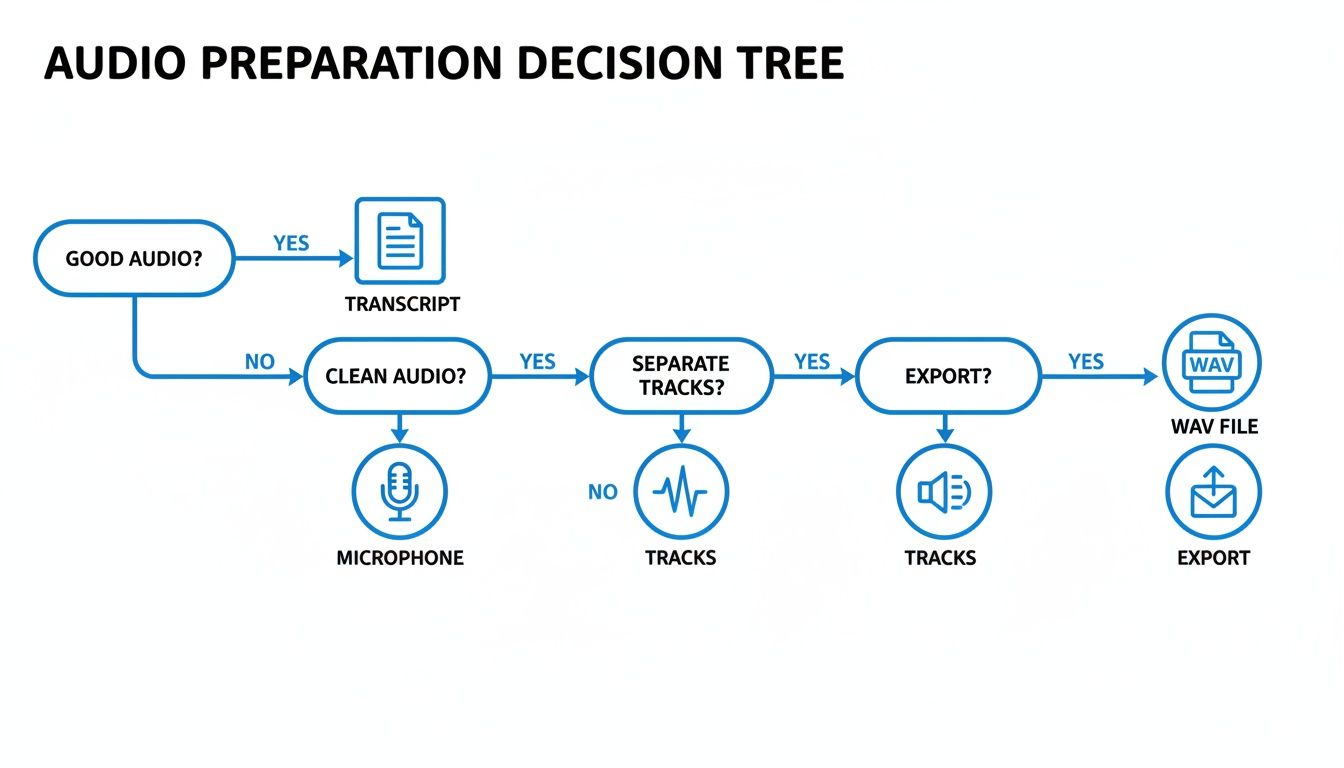
As you can see, a solid audio foundation is non-negotiable. It’s the key to getting a great transcript, no matter which route you take.
The Manual Transcription Path
Going manual means you’re in complete control. You’ll sit down, listen to your episode, and type out every single word. The biggest plus? You can achieve 100% accuracy. You'll catch every subtle nuance, spell your guest's obscure company name correctly, and format everything exactly how you want it from the get-go.
But that level of control comes at a pretty steep cost: your time. A professional transcriber usually takes about four to six hours to get through one hour of audio. If you’re not a seasoned typist, you could easily be looking at double that. For a weekly one-hour podcast, that’s a massive chunk of your week that could be better spent on things like booking guests or marketing your show.
The Automated AI Path
This is where tools like have been a total game-changer for podcasters. Instead of dedicating an entire afternoon to typing, you just upload your audio file. A few minutes later, you get a full transcript back. The speed is obviously the killer feature here, shrinking what was once a day-long task into the time it takes to make a cup of coffee.
Today’s AI is surprisingly good, often hitting over 95% accuracy on clear audio. It can even distinguish between speakers and add timestamps automatically, which is a huge timesaver. But it’s not magic. You’ll still need to do a final once-over to catch weird spellings of names, industry jargon, or the occasional word it misheard.
The sweet spot for most creators is a hybrid approach. Let the AI do the initial 95% of the work in minutes. Then, you spend a little time polishing that draft to 100% perfection.
This approach gives you the best of both worlds: the incredible speed of automation backed by the final quality check of a human eye. It’s the most practical workflow for busy podcasters.
Transcription Method Comparison: Manual vs. AI (like Kopia.ai)
Trying to decide which path is right for you? This head-to-head comparison should make the choice a lot clearer.
| Feature | Manual Transcription | AI Transcription (Kopia.ai) |
|---|---|---|
| Speed | Extremely slow (4-8 hours per audio hour) | Extremely fast (minutes per audio hour) |
| Cost | Free (if DIY), or high cost for services ($1.50+ per minute) | Very low cost |
| Accuracy | Potentially 100% perfect, but prone to human error | High (95%+ with good audio), requires quick proofreading |
| Effort | High; requires intense focus and fast typing skills | Low; upload file and review the generated text |
| Features | None; all formatting (timestamps, speakers) is manual | Automatic speaker labels, timestamps, and export options |
Ultimately, for most podcasters, the combination of speed, affordability, and high accuracy from an AI service makes it the clear winner. The small amount of time needed for a final proofread is a tiny price to pay for getting hours of your life back.
Using AI to Transcribe Your Podcast
So you've decided to let a machine do the heavy lifting. Smart move. Using an AI service is refreshingly simple and turns what used to be an entire afternoon of tedious typing into a task you can knock out in minutes. Honestly, this speed is the main reason so many of us in podcasting have switched over.
The actual process is pretty straightforward. You'll upload your prepped audio file—that clean WAV or FLAC file we talked about—directly to the transcription platform. From there, the AI takes over, churning through the audio and converting all that speech into text.
From Upload to First Draft
You won't be waiting long. Usually, within a few minutes, you’ll get a notification that your transcript is ready. And what you get back is far more than just a wall of text. Good AI tools, like Kopia.ai, deliver a structured document with features that save a ton of time.
You'll typically find things like:
- Automatic Timestamps: Every word is synced to its exact spot in the audio. This is a lifesaver when you're editing or pulling clips for show notes.
- Speaker Labeling: The AI does a surprisingly good job of figuring out who is speaking and when, labeling them "Speaker 1," "Speaker 2," and so on. Renaming these to your host and guest names takes just a few clicks.
With clear audio, this first draft can easily be over 95% accurate. It’s the perfect foundation to build on. The grunt work is done, and now your job is to polish, not to type.
Refining Your AI Transcript
This is where you, the human, come back in to make it perfect. A raw AI transcript is a great start, but a polished, human-edited one is what you want to share with your audience. The best way to do this is with a tool that has an interactive, in-browser editor.
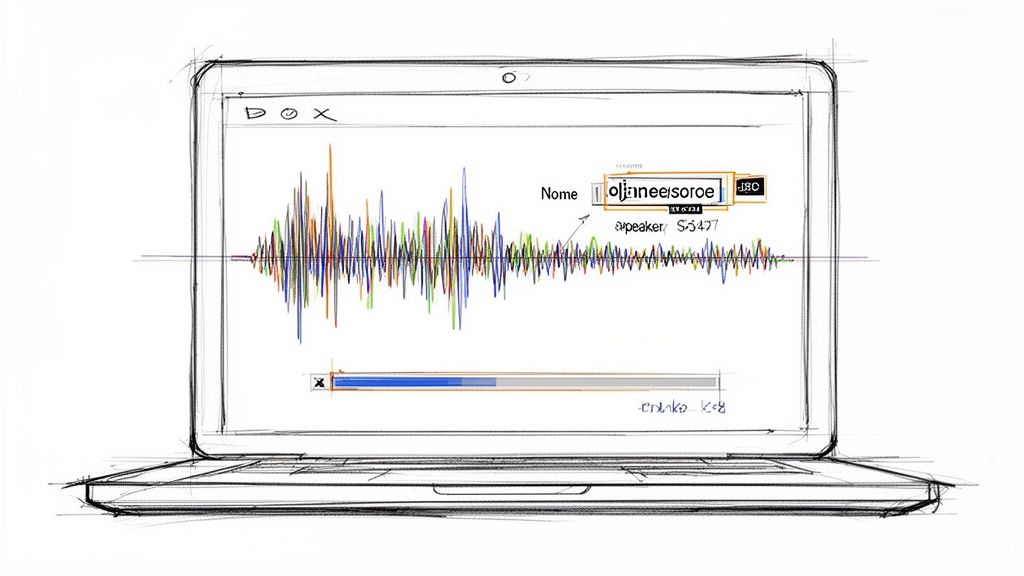
A good editor links the text directly to the audio, which makes finding and fixing mistakes incredibly fast. Here’s what that looks like in a platform such as Kopia.ai:
See how the text and the audio player are synchronized? This setup is what makes the editing process so smooth.
The most powerful feature of these editors is the click-to-play function. You can click on any word in the transcript, and the audio will instantly jump to that exact moment. It completely eliminates the frustrating old way of scrubbing back and forth trying to find one tiny spot.
This feature lets you fly through the final edits:
- Fixing mistakes: The AI might get a unique name, a bit of jargon, or a brand name wrong. Just click, listen, and type the correct word. It takes seconds.
- Adjusting speakers: If the AI assigns a line to the wrong person, it's a simple fix.
- Tweaking punctuation: You can quickly add commas, break up long sentences, and create new paragraphs to make the whole thing much easier to read.
This hybrid approach—letting AI handle the initial pass and then applying your own final touch—is easily the most efficient way to get a professional-grade transcript. It's fast, affordable, and produces a result you can be proud of.
Remember, this isn't just about repurposing content. With 15% of the population having some form of disability, a transcript makes your show accessible to a much wider audience. For podcasters, using a smart transcription tool can save up to 70% of their time compared to manual methods. If you're ready to see how fast it can be, check out our guide on how to and get your first episode transcribed.
Turning Your Transcript into More Content
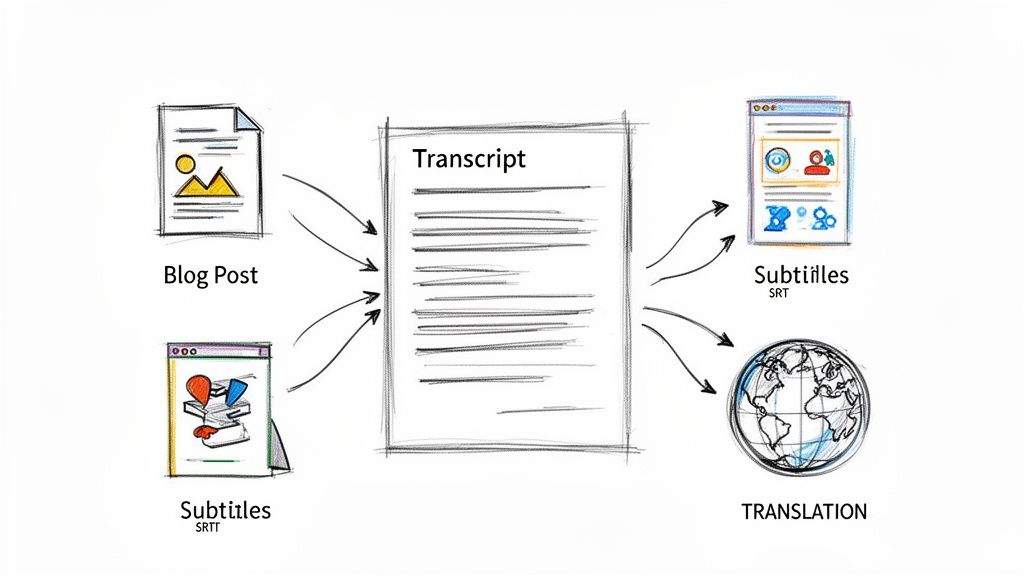
So, you've got a polished, accurate transcript. Great! But its job isn't over—in fact, it's just getting started. Don't think of your transcript as the final product. It's the raw material for a dozen other pieces of content. This is where you get a massive return on your effort, turning one podcast episode into a full-blown content engine.
The most obvious and powerful move is to turn your episode into a blog post. Your transcript is already packed with all the keywords, expert insights, and natural language you need. All it takes is a little cleanup for readability, some headings to break up the text, and you’ve got a fantastic SEO asset that search engines can find.
Creating Valuable Show Notes
Beyond a full article, your transcript is the perfect foundation for building rich, detailed show notes. These are so much more than a simple summary. They're a roadmap for your listeners, helping them find exactly what they’re looking for in the episode.
Good show notes always include a few key things:
- Key Takeaways: Pull out the three to five most important points from the conversation. List them as bullets right at the top so people can see the value at a glance.
- Clickable Timestamps: Since your AI transcript has timestamps for every word, you can easily create a "table of contents." This lets listeners click a topic and jump right to that part of the audio.
- Resource Links: Did you or your guest mention any books, tools, or websites? List them all out with links.
This small step makes your podcast far more user-friendly and shows you respect your audience's time by making your content easy to navigate.
Fueling Your Social Media and Video Content
Your transcript is also a goldmine for social media posts. Instead of trying to dream up clever captions from scratch, just pull the most compelling, controversial, or inspiring quotes directly from the conversation. These soundbites are perfect for creating eye-catching graphics for Instagram, LinkedIn, or X (formerly Twitter).
Every podcast episode contains dozens of shareable moments. A transcript makes it effortless to find those golden nuggets and turn them into compelling social media content that drives new listeners to your show.
And if you film your podcast, the transcript is absolutely essential for your video workflow. A tool like lets you export the text as an SRT file, which is the standard format for subtitles. You can upload this file directly to YouTube or other video platforms to add accurate, readable captions. This is a huge win for accessibility, and it can also boost your video watch time and SEO.
Reaching a Global Audience
Finally, don’t forget about the power of translation. Your podcast could have listeners all over the world who don't speak your language. Modern AI tools now make it surprisingly easy to translate your entire transcript with just a few clicks.
For instance, Kopia.ai can translate your text into over 130 languages. Imagine publishing a Spanish version of your blog post or adding French subtitles to your YouTube video. This simple step can dramatically expand your reach, connecting your content with a truly global audience and opening up entirely new markets for your show.
Got Questions About Podcast Transcription?
Even with the best tools in hand, you probably still have a few questions about transcribing your podcast. Let's clear up some of the most common things podcasters ask so you can get back to creating.
How Long Does It Take to Transcribe a One-Hour Podcast?
This is the big one, and the honest answer is: it depends on your method.
If you’re typing it out yourself, you’re looking at eight hours or more of intense focus for a single hour of audio. A professional human transcriber might knock that down to about four to six hours.
Compare that to an AI service like Kopia.ai, which can turn around that same hour-long file in just a few minutes. What used to be a full day's work becomes something you can proofread and publish before you finish your coffee.
Can AI Handle a Podcast with Multiple Speakers?
Absolutely. This is where modern AI really shines and saves you a ton of headaches. Good transcription tools can automatically perform speaker diarization—a fancy term for figuring out who is talking and when.
The AI will tag each speaker in the transcript (e.g., "Speaker 1," "Speaker 2"). All you have to do is go through one time and replace those generic labels with the actual names, like changing "Speaker 1" to "Jane." It’s a huge time-saver.
Is AI Transcription Good Enough for a Professional Show?
For most podcasts with decent audio quality, the answer is a definite yes. Today's top AI models can hit over 95% accuracy, which is an incredibly solid starting point.
The secret to professional-grade results is a hybrid approach. Let the AI do the heavy lifting first. Then, have a person do a final pass to catch any specific jargon, brand names, or tricky accents. You get the speed of AI with the polish of a human touch.
What Is the Best Audio File Format for Transcription?
For the best results, you'll want to use a lossless audio format.
MP3s are popular because they're small, but they are a "lossy" format. This means audio data is thrown out to shrink the file size, which can sometimes trip up the AI.
If you can, always upload your original recording as a WAV or FLAC file. These are uncompressed, giving the AI the cleanest possible audio to work with. This directly translates to a more accurate transcript and less editing work on your end. Kopia.ai handles a lot of different formats, but you can see a full list of our to be sure.