2026-02-03
How to Transcribe Audio to Text A Practical Guide
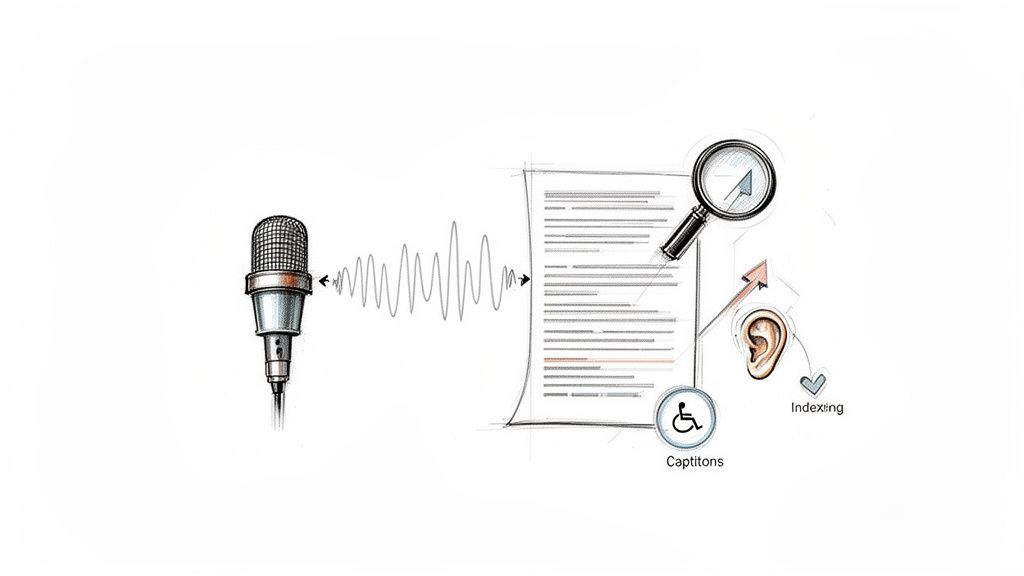
At its core, transcribing audio is simply the process of converting spoken words from an audio file into a written document. You take a recording, run it through a service or software, and out comes a text version. With an AI-powered platform like , you just upload your file, let the AI work its magic, and you'll have a transcript ready for editing in a matter of minutes.
Why Transcribing Audio Is a Strategic Move
Don't mistake transcription for a simple administrative chore. It's actually a powerful strategy for anyone looking to grow their reach. Whether you're a content creator, researcher, or business owner, turning your audio into text makes it more discoverable, accessible, and ultimately, more valuable. If your content only exists in audio or video format, it's practically invisible to search engines and off-limits to a huge part of your potential audience.
Think about a podcaster who only releases audio episodes. All those fantastic conversations and brilliant insights are essentially locked away. But by providing a full transcript, every single keyword, topic, and name mentioned becomes something Google can index. This one move can seriously boost organic traffic, letting new listeners find your show just by searching for a topic you discussed. You stop hoping people will stumble upon your audio and start guiding them straight to it.
Unlock Your Content’s Full Potential
Beyond just getting found on Google, transcription lets you breathe new life into your existing content. That hour-long webinar you hosted or that great interview you recorded can be a goldmine for new material.
- Blog Posts: Easily pull out key sections and expand them into detailed articles.
- Social Media Snippets: Grab punchy quotes and interesting soundbites to create engaging posts.
- Email Newsletters: Summarize the main points and share them with your subscribers.
- Training Guides: Turn recorded meetings or training sessions into searchable documentation.
This approach helps you get the most mileage out of the effort you already put into creating the original content. You're making every piece of audio work that much harder for you.
A transcript transforms your passive audio archive into an active, searchable knowledge base. Suddenly, finding a specific detail from a meeting six months ago doesn't require re-listening to the entire recording—it's just a quick text search away.
This is where modern tools really shine. A platform like Kopia.ai, for instance, gives you a clean and straightforward way to handle your transcription projects from start to finish.
The dashboard is designed to be simple, letting you upload files and see the transcribed text all in one spot, without any fuss.
The Growing Demand for Text-Based Content
This shift toward transcription isn't just a fleeting trend; it reflects a real and growing market need. The global AI transcription market is currently valued at $4.5 billion and is expected to skyrocket to $19.2 billion by 2034.
That kind of explosive growth tells you just how critical audio-to-text conversion has become for organizations of all sizes. You can read more about these automated transcription statistics to get a better sense of the market's direction. It's all driven by the need for better accessibility, easier data analysis, and more efficient information management in a world overflowing with audio and video content.
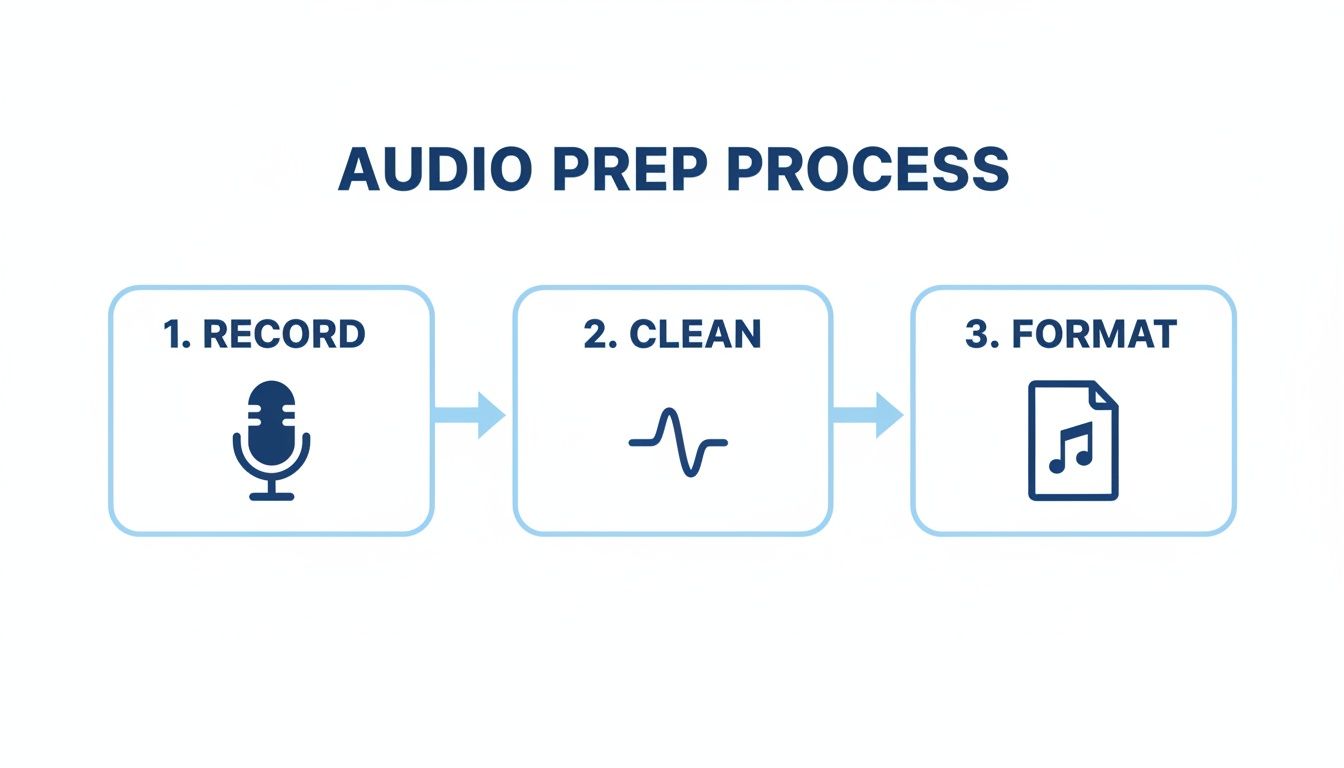
Preparing Your Audio for Flawless Transcription
Before you even touch a transcription tool, let’s talk about the single biggest factor that will make or break your results: your audio quality. It's a simple concept I've learned the hard way over the years: garbage in, garbage out.
If you feed an AI muddled audio with tons of background noise, it's just guessing. That means you get a transcript riddled with errors, which translates into hours of frustrating cleanup work for you. A little prep work upfront makes a world of difference.
First, Nail the Recording Environment
The easiest way to get clean audio is to capture it cleanly from the start. You don't need a fancy studio, just a bit of awareness.
- Kill the background noise. Seriously, find the quietest room you can. Shut the window to block street noise, turn off that whirring fan, and put your phone on silent. Every little hum and buzz competes with your voice.
- Get a decent mic. The microphone built into your laptop is okay in a pinch, but it's designed to pick up everything—including your typing and the echo of the room. A simple external USB mic or even the one on your earbuds will be a huge step up.
- Mind your distance. Try to keep the mic about 6 to 12 inches away from whoever is speaking. This simple trick gives you a strong, consistent audio signal without that distant, echoey sound that AI struggles with.
Getting these basics right gives the transcription engine the best possible chance to deliver an accurate transcript on the first pass.
Pick the Right Audio Format
Does the file type really matter? Yes and no. While most tools are flexible, some formats are definitely better than others.
The absolute best are lossless formats like WAV or FLAC. They are the uncompressed, original audio, which is perfect for AI analysis. The only downside is their massive file size.
For most people, a high-quality compressed format is the sweet spot. A good MP3 saved at 192 kbps or higher provides excellent clarity without eating up all your storage space.
Here’s the key takeaway: a clean recording in a standard format will always beat a noisy recording in a "better" format. Clarity is king.
A 5-Minute Cleanup Can Save You an Hour of Editing
Let's be realistic—sometimes you're stuck with less-than-perfect audio. A remote interview with a bad connection or a meeting recorded in a noisy café. All is not lost.
A quick pass through a free tool like can be a lifesaver. You don't need to be a sound engineer. Look for a "Noise Reduction" effect to remove persistent hums or a simple "Amplify" tool to boost speakers who were too quiet.
And if you’re starting with a video file, you'll need to pull the audio out first. Learning how a is a great first step before you upload. Spending just a few minutes on cleanup can honestly save you an hour or more of tedious editing later.
Your Workflow for AI-Powered Transcription
Now that your audio is prepped and ready, it's time for the fun part: letting the AI turn that recording into text. If you’re used to the old-school way of transcribing—headphones on, endlessly pausing and rewinding—this is going to feel like magic. What once took hours of painstaking typing now happens in just a few minutes.
You're essentially handing off the most tedious part of the job to a machine that can listen and type at superhuman speed. Let's walk through exactly what that looks like.
Kicking Off Your First Transcription
The first step with any transcription tool is simply getting your audio file into the system. It’s usually as straightforward as dragging a file from your computer right into your web browser.
For example, when you pop open the Kopia.ai dashboard, you’ll find a clean, uncluttered interface. There’s a big upload button right in the middle, so you know exactly where to start without any guesswork.
After you've picked your audio or video file, you have to make one small but crucial choice: telling the AI what language it's about to hear.
Pro Tip: Setting the correct source language is the single most important thing you can do for transcription accuracy. An AI trained on English will produce gibberish if you feed it a Spanish recording. Always, always double-check this setting.
Think of it like giving a translator the right dictionary. It's a simple step, but it makes all the difference in the world for getting a usable result.
Getting this initial setup right ensures the AI has the best possible input to work with, which directly translates to a more accurate transcript on the other side.
To get a feel for the process, you can even see how easy it is to .
A well-structured workflow is key to getting the most out of transcription tools. Here’s a quick overview of the stages involved.
Key Stages in a Modern Transcription Workflow
A modern transcription workflow breaks a complex task into manageable stages. Each step has a clear purpose, moving you from a raw audio file to a polished, ready-to-use document. This table outlines that journey.
| Stage | Objective | Key Action |
|---|---|---|
| Preparation | Ensure the AI has the best possible input | Clean audio, check format, remove background noise |
| Automation | Generate a fast, accurate first draft | Upload file, select language, and run the AI |
| Editing | Refine the AI-generated text for perfection | Correct names, fix punctuation, and assign speakers |
| Finalization | Prepare the transcript for its intended use | Export as captions, subtitles, or a plain text doc |
By understanding these stages, you can approach any transcription project with a clear plan, saving time and ensuring a high-quality outcome.
From Upload to First Draft
Once your file is uploaded and the language is set, the AI gets to work. You’ll see a progress bar as the system processes the audio. For most files, this part is incredibly fast.
An hour-long podcast episode, which might take a professional human transcriber a solid 4-6 hours to complete, is often done in under 10 minutes.
This speed is a total game-changer, especially when you're on a deadline. The AI breaks down the audio, identifies every spoken word, and assembles it all into a coherent document, complete with timestamps.
What you get back isn't just a wall of text. It's a structured, timestamped first draft that's ready for you to review and polish.
Understanding the Initial Output
So, what does this first draft actually look like? It typically includes a few key elements:
- The Full Transcript: Every word spoken in the audio, converted to text.
- Timestamps: Time markers that sync the text to the audio, which is a massive help during editing.
- Speaker Detection: The AI usually makes a good guess at who is speaking and when, separating their dialogue into new paragraphs.
This initial output is your raw material. While AI accuracy can be fantastic—often hitting 95% or higher with clean audio—it isn't flawless. It might misspell a unique company name, get confused by a thick accent, or jumble punctuation during a fast-paced conversation.
And that's okay. The point of this first step isn't to get a perfect final document. The goal is to do 95% of the heavy lifting for you, turning a daunting task into a much more manageable editing job. You've officially transcribed your audio; now you just need to polish it.
Refining Your Transcript to Perfection
An AI-generated transcript is a fantastic starting point. It does the heavy lifting in minutes, but let's be real—it's still a first draft. To get a truly professional and polished final document, a human touch is non-negotiable. This is where you transform a good-enough transcript into a perfect, ready-to-use asset.
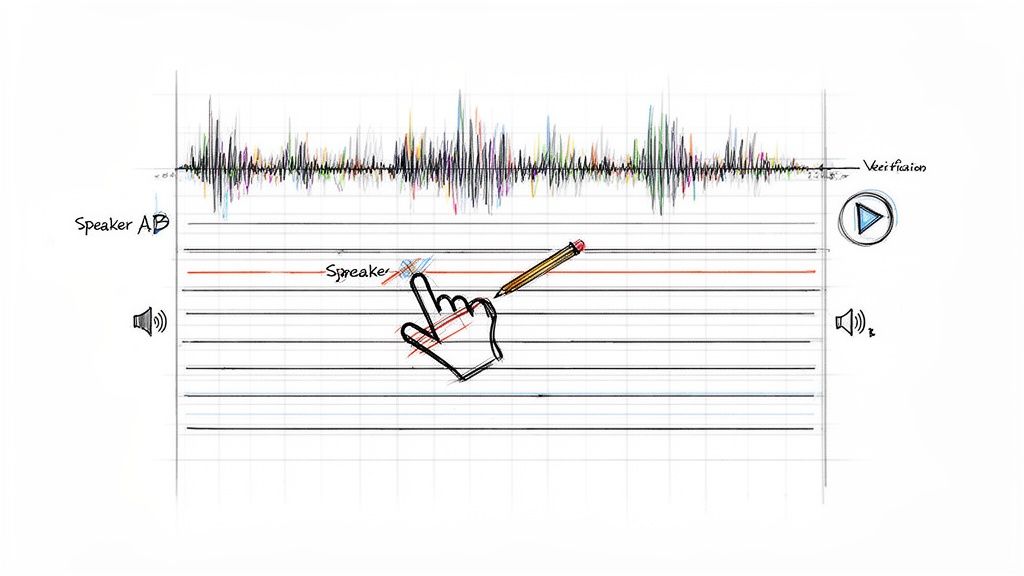
Think of it like proofreading. You’re not starting from scratch; you’re just catching the small imperfections that even the best AI can miss. The good news is that modern tools make this review process incredibly fast and intuitive.
Using an Interactive Editor
This is where a tool like really shines. Its interactive, in-browser editor isn't just a text box; it’s a game-changer. The entire transcript is synced, word-for-word, with your original audio.
What does that mean for you? If you read a sentence that sounds a bit off, you don't have to scrub through the audio file trying to find that exact moment. Just click the word in the text. The audio player instantly jumps to that precise spot. This makes verifying and correcting things ridiculously fast.
This feature is a lifesaver for:
- Verifying ambiguous words: Did the speaker say "affect" or "effect"? A quick click gives you the answer.
- Correcting misunderstood phrases: AI can sometimes stumble over slang or industry-specific idioms. Hearing the original context makes it easy to fix.
- Checking names and jargon: Specialized terms or unique names are common hiccups for automation.
Tackling Common Transcription Errors
As you get into the editing groove, you’ll start to notice a few common errors pop up again and again. Knowing what to look for makes the whole process much quicker.
Your first priority should be proper nouns—names of people, companies, or specific products. An AI might hear "Kopia.ai" and write "Copia A.I.," or transcribe a name like Siobhan as "Sha-von." A quick 'find and replace' can fix every instance of a misspelled name in seconds.
Next, keep an eye on punctuation. The AI does a decent job with periods and commas, but it can struggle to interpret the natural pauses and inflections of human speech. You'll likely want to break up long run-on sentences or combine choppy ones to make the text flow better.
Assigning Speaker Labels for Clarity
When you're working with audio that has multiple speakers—like a podcast interview or a team meeting—knowing who said what is crucial. Most AI tools will automatically detect speaker changes and add a paragraph break, but they'll use generic labels like "Speaker 1" and "Speaker 2."
It's your job to go in and assign the correct names. The beauty of a good editor is that you only have to do this once.
For example, once you change the first instance of "Speaker 1" to "Sarah," the platform will automatically update every other "Speaker 1" tag to "Sarah" throughout the entire transcript. That one simple action brings instant clarity to the whole conversation.
This is absolutely essential for meeting notes, interviews, or any content where attributing quotes correctly is a must.
Here’s a quick checklist for your final review pass:
- Correct Proper Nouns: Systematically check and fix all names, brands, and technical terms.
- Refine Punctuation: Adjust commas, periods, and question marks to match the conversational flow.
- Assign Speaker Labels: Swap out generic speaker tags with actual names.
- Remove Filler Words: Decide if you want to keep or remove "ums," "ahs," and repeated words for a cleaner read.
- Check for Inaudibles: If the AI marks a word as
[inaudible], give that section a listen. You can often figure it out.
This human-led refinement is the final, crucial step in learning how to transcribe audio to text effectively. It takes the raw output from a functional draft to a professional, accurate document you can confidently publish or share.
Turning Your Transcript into an Audience-Building Machine
So, you’ve got a polished transcript. Great. But don't just let it sit there. A clean text file is just the starting point; its real power comes alive when you start using it to expand your reach. Think of that transcript as raw clay, ready to be molded into assets that make your content more accessible, searchable, and shareable.
This is where you shift from just documenting what was said to strategically using those words to grow. That single audio file can now become a whole suite of content tailored for different platforms and people.
Exporting for Maximum Reach
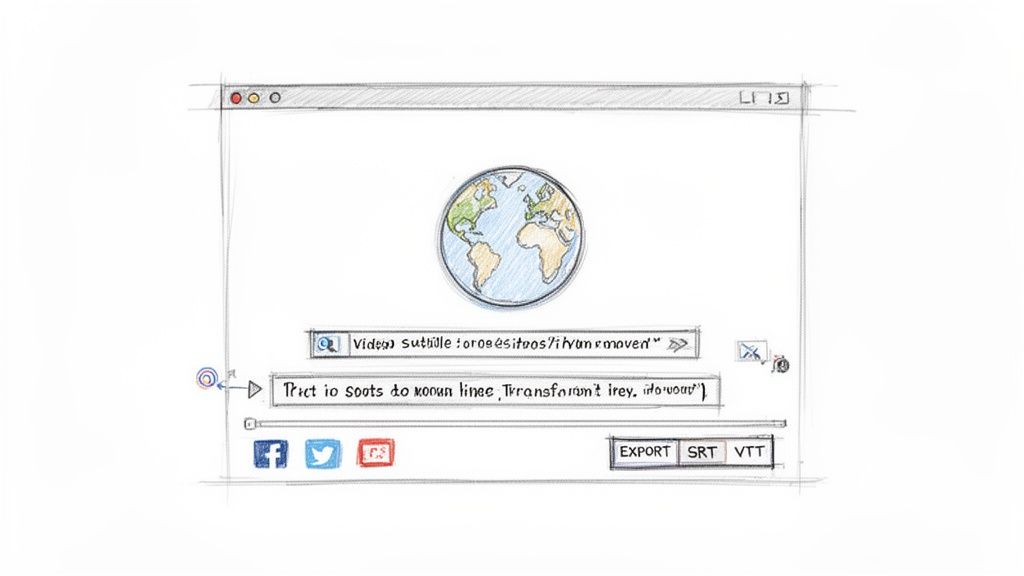
The first, and frankly most important, thing you can do is export your transcript as subtitles. These aren't just an accessibility feature anymore—they're essential for how people watch videos today. Plus, platforms like YouTube absolutely love videos with accurate captions because it helps their algorithms understand and index your content.
You'll usually run into two main formats:
- SRT (.srt): This is the old reliable. It’s a simple text file that works with pretty much every video player and platform you can think of—YouTube, Vimeo, Facebook, you name it. It just lists the timecodes and the text that should appear.
- VTT (.vtt): This is the newer, more capable version of SRT. It lets you do more with formatting, like changing text styles or positioning captions on the screen. It's the go-to for modern web video.
With a tool like , exporting your transcript into an SRT or VTT file is literally a one-click affair. You download the file, upload it with your video, and you've instantly made your content more discoverable.
Breaking Down Language Barriers with Translation
What if you could tap into an audience that doesn’t even speak your language? It’s not as hard as it sounds. Many modern transcription tools have AI translation built right in, letting you convert your perfect English transcript into dozens of other languages with surprising accuracy.
Think about it: you have a podcast that's doing well in the US. With another click, you can generate Spanish or German subtitles. Just like that, you’ve opened the door to millions of potential new listeners across Europe and Latin America. This used to be a complicated, expensive process, but now it’s a feature that can seriously expand your global footprint.
By simply adding translated subtitles, a video creator can tap into entirely new markets, effectively launching their channel in another country overnight. It’s one of the most efficient ways to scale your reach without creating entirely new content.
Winning the Social Media Scroll with Burned-In Captions
Let’s be honest—how do you scroll through Instagram or LinkedIn? With the sound off, right? Most videos autoplay on mute. If your content depends on someone hearing it, you’ve already lost them.
This is exactly why burned-in captions (or open captions) are so crucial. Unlike a separate file you can toggle on or off, these captions are literally part of the video image itself. They're always there, ensuring your message gets through whether the sound is on or not.
This is an absolute must-have for platforms like:
- Instagram Reels
- TikTok
- LinkedIn video posts
- Facebook video ads
Exporting your video with the captions burned in means you're adapting to how people actually watch content. It’s a small step that can make a massive difference in your engagement and watch time, making sure all your hard work doesn’t just get scrolled past in silence.
Getting More from Your Transcripts
A polished transcript is great, but its real power lies in what you do with it next. Think of it less as a simple block of text and more as a searchable, analyzable goldmine of information. This is the point where you stop just documenting and start discovering.
What if you could "talk" to your transcript? Imagine asking your two-hour meeting transcript to instantly summarize the key decisions or pull a list of every single action item. That’s the kind of power we're talking about—turning a static record into a dynamic tool you can interact with.
Turning Words into Actionable Insights
For a marketing team, this is huge. Instead of slogging through hours of customer interviews one by one, they can feed a whole batch of transcripts to an AI and ask it to find common themes. Suddenly, customer pain points and frequently asked questions jump right out.
This is how you get straight to what your customers actually care about. It’s the kind of insight that leads to smarter products and marketing campaigns that really hit the mark.
Your transcript is no longer just a record of what was said. It becomes a strategic asset you can query to find key topics, generate chapter summaries for a long lecture, or pinpoint the most important moments in a conversation—all without having to listen to the audio again.
This is especially true for team meetings, where crucial decisions and follow-up tasks often get buried and forgotten.
The New Wave of Meeting Intelligence
The idea of pulling real intelligence from conversations is catching on, and fast. The meeting transcription space is actually the fastest-growing part of the entire AI transcription industry. It's expected to balloon from $3.86 billion to a whopping $29.45 billion by 2034. That massive jump shows just how much businesses need automated ways to capture and understand what's being decided in their meetings. You can dig into the numbers yourself with these .
This all means that the answer to "how to transcribe audio to text" is changing. It’s not just about getting the words right anymore. It’s about extracting real, actionable intelligence that can push your business or research forward. This shift from passive record-keeping to active analysis is where the real magic happens.
Got Questions About Audio Transcription? We've Got Answers
If you're new to audio transcription, you probably have a few questions. That's totally normal. Getting these sorted out upfront will help you get the most out of the process and avoid any surprises. Let's walk through some of the things people ask most often.
AI vs. Human: Who Wins?
This is the big one. How does an AI really compare to a human transcriber? The truth is, modern AI can be astonishingly good, often hitting up to 99% accuracy on clean, high-quality audio.
A skilled person might still catch nuances in thick accents or niche industry jargon a bit better, but you can't beat AI for speed and cost. For most of us, the best workflow is letting the AI do the heavy lifting and then giving it a quick human proofread. You get the best of both worlds: near-perfect accuracy without the high cost and long wait times.
Getting Your Files and Speakers Right
"What's the best audio format to use?" I hear this one all the time. If you want the absolute best quality, a lossless format like WAV or FLAC is the gold standard because it preserves every bit of the original audio data.
That said, a high-quality MP3 (think 192 kbps or higher) works perfectly fine for almost every situation. The real secret isn't the file type—it's the recording quality. Clear audio is king. A crisp recording in any format will always give you a better transcript than a muffled one.
But what if you have multiple people talking over each other, like in a podcast or a team meeting? Not a problem. Today's transcription tools are smart enough to handle that. They can usually detect a change in speaker and will start a new paragraph automatically.
From there, you just pop into the editor and assign names like 'Interviewer' or 'Sarah' to each part of the dialogue. It turns a messy conversation into a clean, readable script—an absolute lifesaver for interviews and meeting minutes.
And of course, what about different languages? Good transcription services are global. You can check out the to see the full list, but chances are you'll be able to work with your content no matter where it's from.