2026-02-16
What Is a Transcript? Definition, Types, and Real-World Uses
You just finished a 45-minute client call. Now you need to find that one specific quote for your report. Do you rewatch the entire recording—or scroll through a transcript?
A transcript transforms spoken words into written text. It captures conversations, meetings, interviews, and videos in a searchable, editable format. Unlike a recording, you can scan a transcript in seconds, search for keywords, and copy exact quotes.
While the word "transcript" has different meanings across contexts—academic records in education, court proceedings in law—this guide focuses on audio and video transcripts. These turn speech from recordings into text that teams can edit, share, and repurpose.
Transcript Meaning Across Different Industries
The term "transcript" appears in several fields, which creates confusion.
| Context | What "transcript" means |
|---|---|
| Education | Official academic record (courses, credits, grades) |
| Legal | Word-for-word record of legal proceedings |
| Tax and government | Summary records generated by agencies |
| Media and business | Written text of audio or video speech |
If your work involves podcasts, meetings, lectures, webinars, or social content, you need an audio/video transcript.
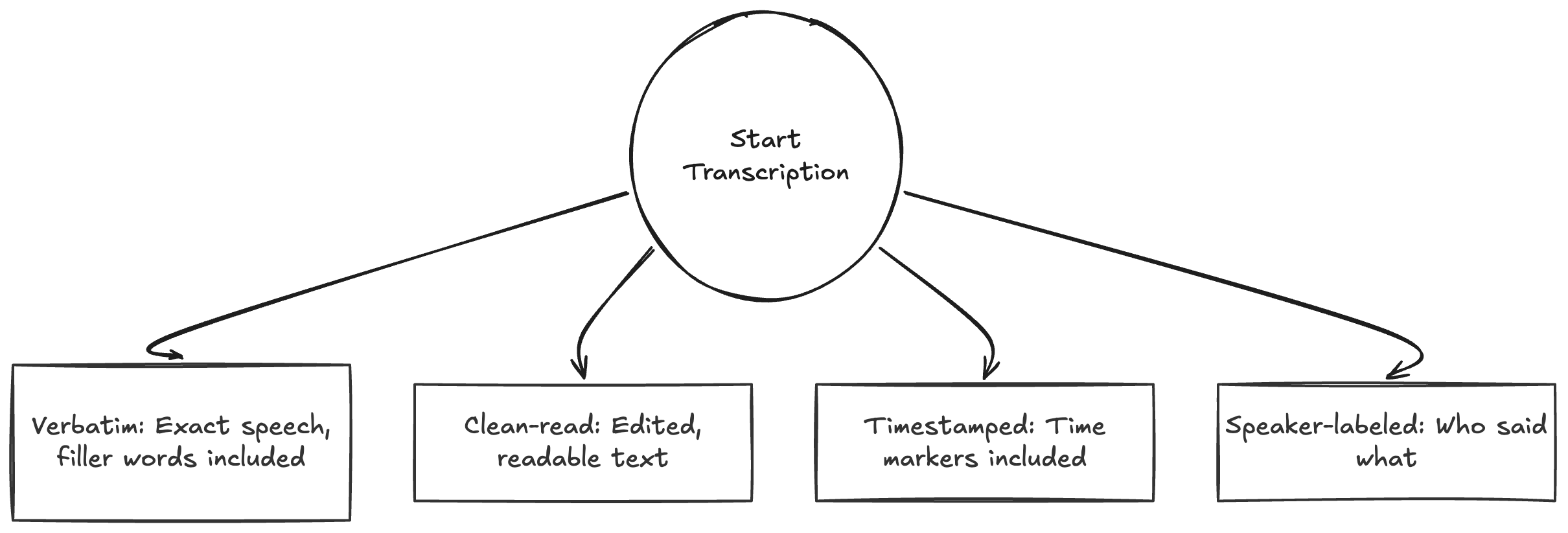
Types of Transcripts for Audio and Video
Choose the format that matches your workflow.
Verbatim transcript
Captures speech exactly as spoken, including filler words and repetitions.
Use this for: Legal proceedings, research interviews, and analysis where every word matters.
Clean-read transcript
Removes filler words, false starts, and minor verbal noise while preserving meaning.
Use this for: Blog posts, documentation, and content repurposing.
Timestamped transcript
Adds time markers throughout the text.
Use this for: Video editing, compliance review, and jumping to exact moments in long recordings.
Speaker-labeled transcript
Separates dialogue by speaker names or IDs.
Use this for: Multi-speaker calls, interviews, podcasts, and meeting notes.
Transcript vs Subtitles vs Closed Captions
These terms overlap but serve different purposes.
- Transcript: Full text document of spoken content, readable as a standalone document.
- Subtitles: Timed on-screen text that usually represents dialogue, often for translation.
- Closed captions (CC): Timed on-screen text designed for accessibility, including non-speech sounds.
Subtitles and captions display during playback. Transcripts work independently—read them without hitting play.
Why Transcripts Matter
Make Content Accessible to Everyone
Text alternatives help people who are deaf or hard of hearing. They also help anyone watching videos on mute in public spaces or offices.
Search and Find Information Instantly
A transcript makes spoken content searchable. Find that specific quote from last week's meeting without scrubbing through an hour of audio.
Edit and Repurpose Faster
Extract quotes, summarize key points, and turn recordings into blog posts, social snippets, and documentation in minutes instead of hours.
Collaborate Asynchronously
Share transcripts so team members can scan content in minutes. No one needs to replay full recordings to get up to speed.
How to Create a Transcript
Two approaches exist:
- Manual transcription: Listen and type every word yourself.
- Automated transcription: AI converts speech to text, then you review and edit.
Most teams choose AI-first workflows because they complete in minutes what used to take hours. A quick human review pass catches names, domain terms, and punctuation.
Quick Quality Checklist
Before publishing or sharing a transcript, verify:
- Speaker labels are correct
- Names, brands, and technical terms are accurate
- Punctuation aids readability
- Timestamps included when navigation matters
- Formatting remains consistent throughout
Frequently Asked Questions
What is a transcript in media?
In media, a transcript is the written text of spoken audio from a video, podcast, interview, or recording.
Is a transcript the same as subtitles?
No. A transcript is a standalone text document. Subtitles are timed text shown on screen during playback.
Is a transcript the same as closed captions?
No. Closed captions are timed on-screen accessibility text that usually include non-speech cues. Transcripts are document-style text records.
Do transcripts include timestamps?
They can. Timestamped transcripts work well for editing, compliance, and review workflows.
Can AI create accurate transcripts?
Yes, especially with clear audio. Most teams run a short human review pass to correct names, formatting, and specialized terms.
How do I create a transcript from a video file?
Upload your file to a transcription tool, choose your language settings, generate the draft, then review and export.
Start Creating Transcripts
A transcript turns speech into searchable, editable text. It makes your audio and video content more accessible, discoverable, and reusable.
Ready to transcribe your first file? Upload your video and get a transcript in minutes.